Adding and Managing Keywords
Table of Contents
Adding a Keyword
Go to the Keywords tab on your site
Click + Add
Fill in the form
Click Add
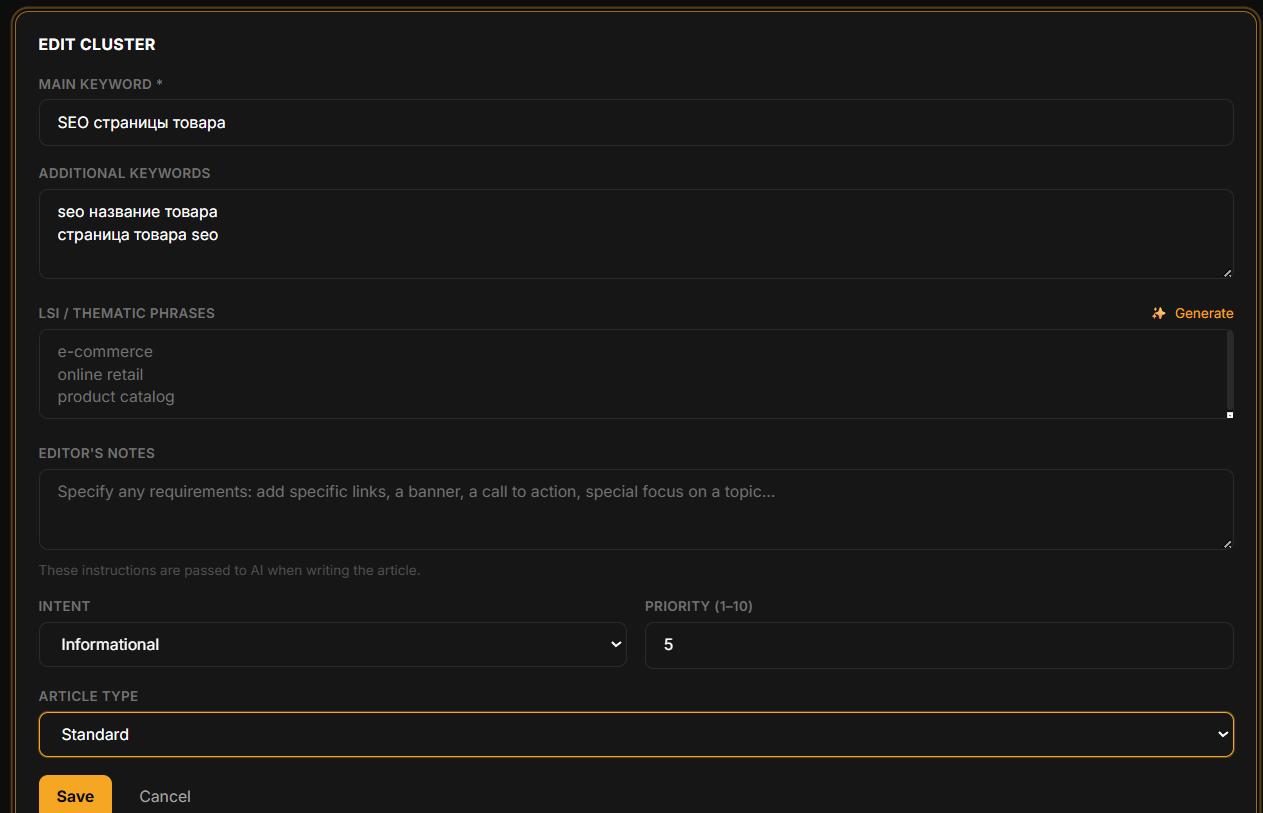
Form Fields
Main keyword * — the primary search phrase the article targets
Additional keywords — variations of the query, one per line
LSI / thematic phrases — semantically related terms from SEO tools, one per line
Intent — Informational, Commercial, Transactional, Navigational
Priority (1–10) — order in autopilot; 1 = generated first
Article type — Standard (3–5 min) or Longread (10–20 min, costs 6 credits)
Editor's Notes — specific instructions for the AI: "add a comparison table", "mention brand X", "include a call to book a consultation". The more specific the instruction, the more precisely the AI will follow it.
Competitor URLs (Longread only) — links to competitor articles for the AI to analyze before writing. One URL per line.
Auto-Generate LSI Keywords
Both the Add and Edit keyword dialogs include a ✨ Generate LSI button. It becomes active once you enter a main keyword.
Enter the main keyword
Click ✨ Generate LSI next to the LSI field
The AI suggests 12–15 semantically related phrases and fills the field automatically
Review the list and remove irrelevant phrases before saving

Managing Priority
Click the priority badge on any keyword row in the table to open a quick editor with a number input. No need to open the full edit form.
Cancelling Generation and Credit Refund
While an article is generating (Generating status), a Cancel button appears on the keyword row.
Click Cancel — generation stops immediately and the keyword reverts to Pending
All credits are fully refunded — including all 6 credits for a longread
This is useful if you accidentally started the wrong article type or used the wrong keyword.
Deleting a Keyword
Deleting a keyword removes only the keyword record. Any article generated from it remains in the system and on your site (if published).
Generate All Pending Keywords at Once
To queue multiple keywords at once — no need to click Generate on each one individually.
Generate all — a button at the top of the keywords page. Queues all keywords with Pending status for the current site.
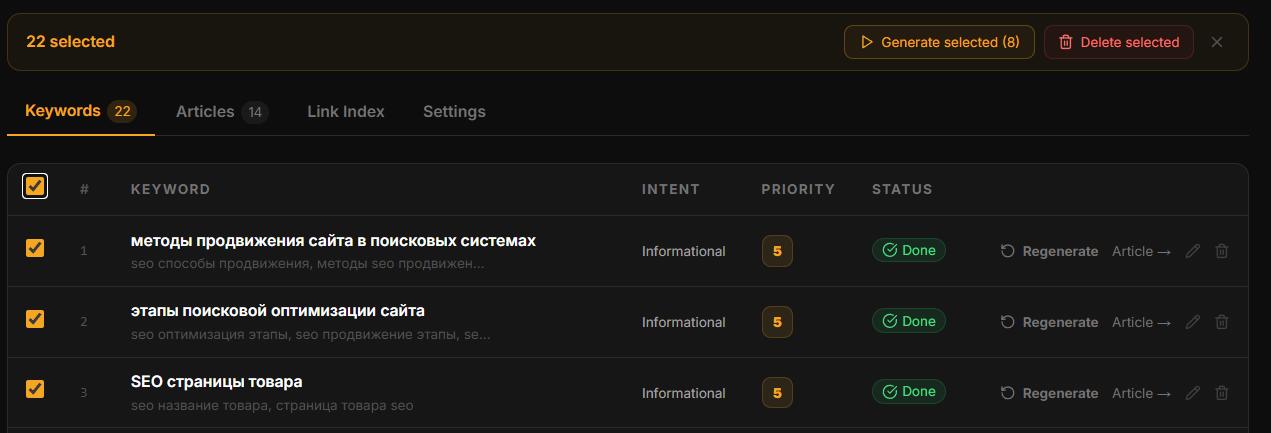
Generate selected — check individual keywords with checkboxes and click Generate selected to queue only those.
Articles generate sequentially in the queue, not in parallel. Track progress in the Queue section.
In this section
Was this article helpful?