Prepare a new version of a completed article for Dzen, VC.ru or Habr. Choose a platform, specify the tone and add editorial instructions. AI produces a separate draft for review.
A rewrite of ready content uses 2 units. With a new standard source: 3 units.
One source for different readers
Prepare text for another post
Your own blog already has useful content. A new audience may need a different opening, a shorter introduction or the conclusions up front. Rewriting helps prepare that version. AI uses your platform choice and instructions; the author checks the facts and decides what to publish. A Dzen opening can begin with a short story or a familiar situation.
Change the tone and structure
Rephrase a formal explanation into a conversational account or reorganize an overview into practical actions. Separate fields let you specify the tone and editorial task. AI rewrites the text around those instructions. List the facts, terms and conditions that should remain unchanged. Choose words familiar to the new audience.
Prepare another version
Rewriting supports editors and agencies that reuse their own content. The new draft is stored separately, so the source remains available. If there is no source yet, start with the SEO article generator. Topic research, source creation and adaptation remain separate actions.
How to prepare a rewrite
01
Open a completed source
Find the content in your project and open its editor. Generation must be complete and the source must contain text. AI uses that content and the project settings as its starting point. Check names, figures and company details before using them in another version.
02
Choose a platform and purpose
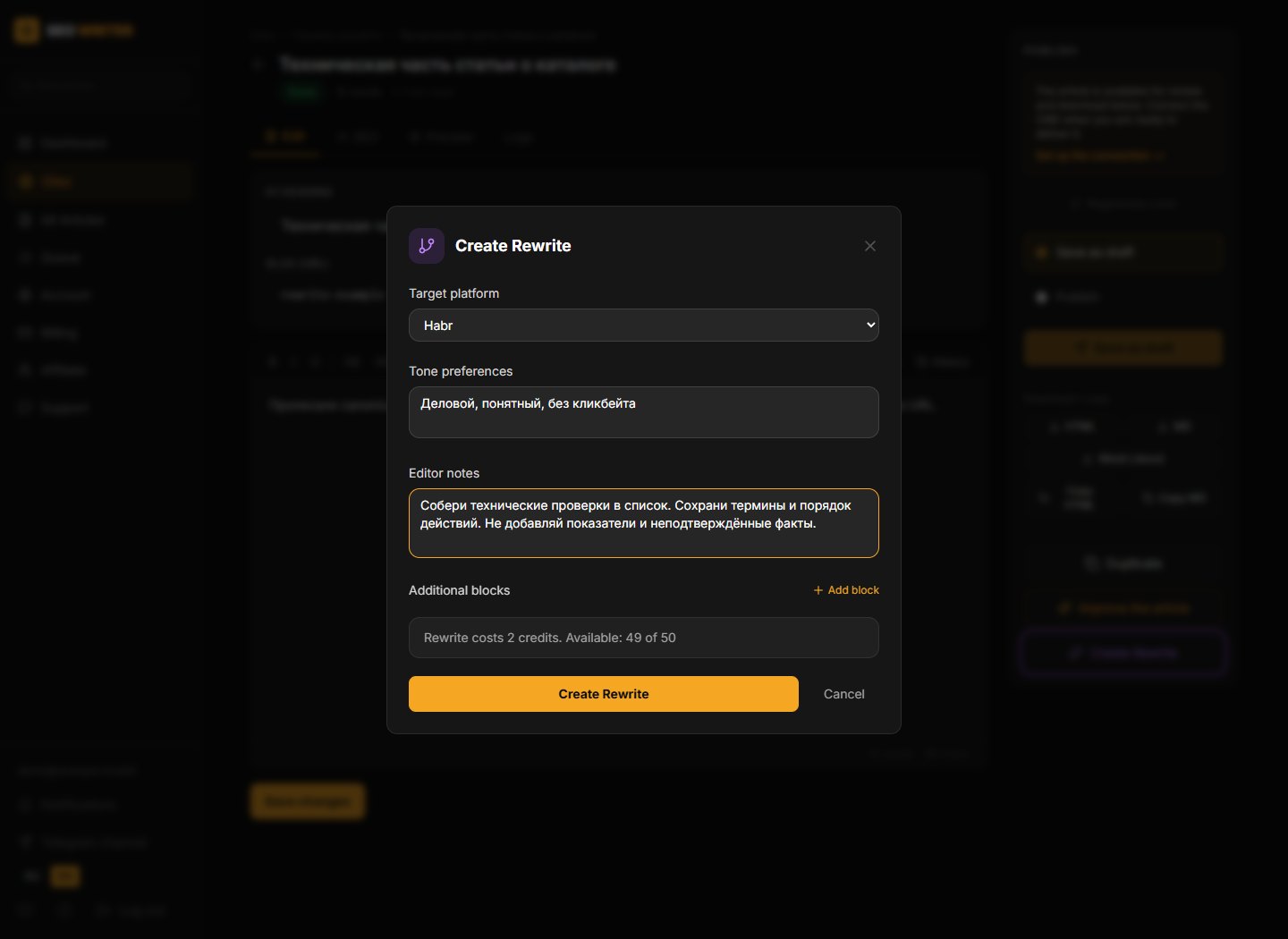
Click Create Rewrite and select Dzen, VC.ru, Habr or another option. Describe the readers, tone and the sections that matter most. A version for newcomers differs from one for specialists. AI receives these instructions together with the source content.
03
Add editorial instructions
Request a different introduction, a new order of explanation or additional blocks. Give each block a clear purpose. Include any wording or condition that needs to be preserved in the editorial field. Specific instructions make the resulting draft easier to assess. List important words and explain what needs to be rephrased.
04
Review the separate draft
Compare the result with the source. Check meaning, names, links, figures and the order of arguments. AI changes wording and structure; an editor makes the publishing decision. After review, copy the text and prepare the post on your chosen platform. The source remains in its project. Check the originality of the wording and the accuracy of facts during review.
A real example: from an explanation to a checklist
We selected a saved SEO-Ready technical article and its linked, completed rewrite. These short Russian-language excerpts show the original explanation and checks presented as a list.
From the source content
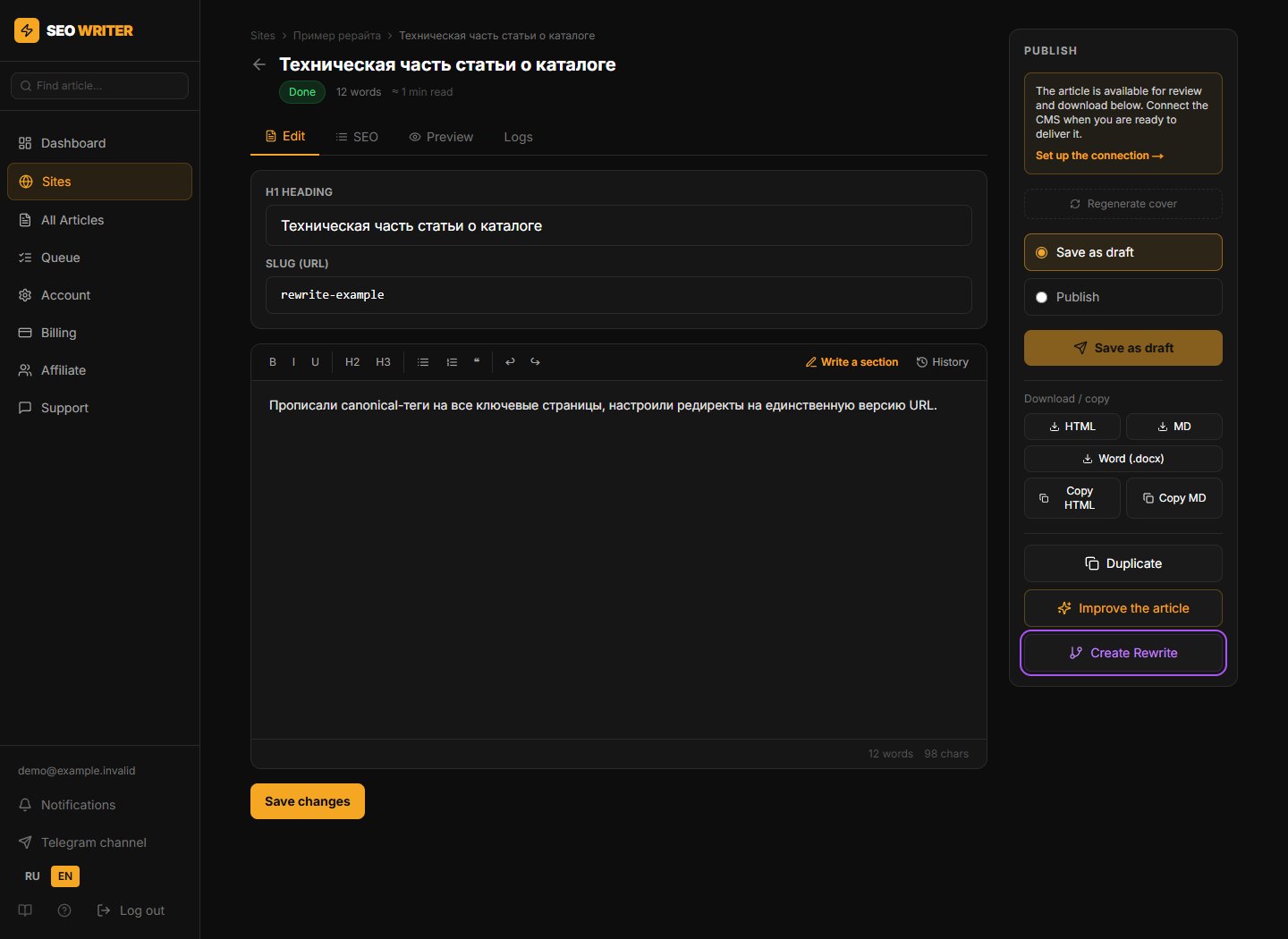
Прописали canonical-теги на все ключевые страницы, настроили редиректы на единственную версию URL.
From the completed rewrite
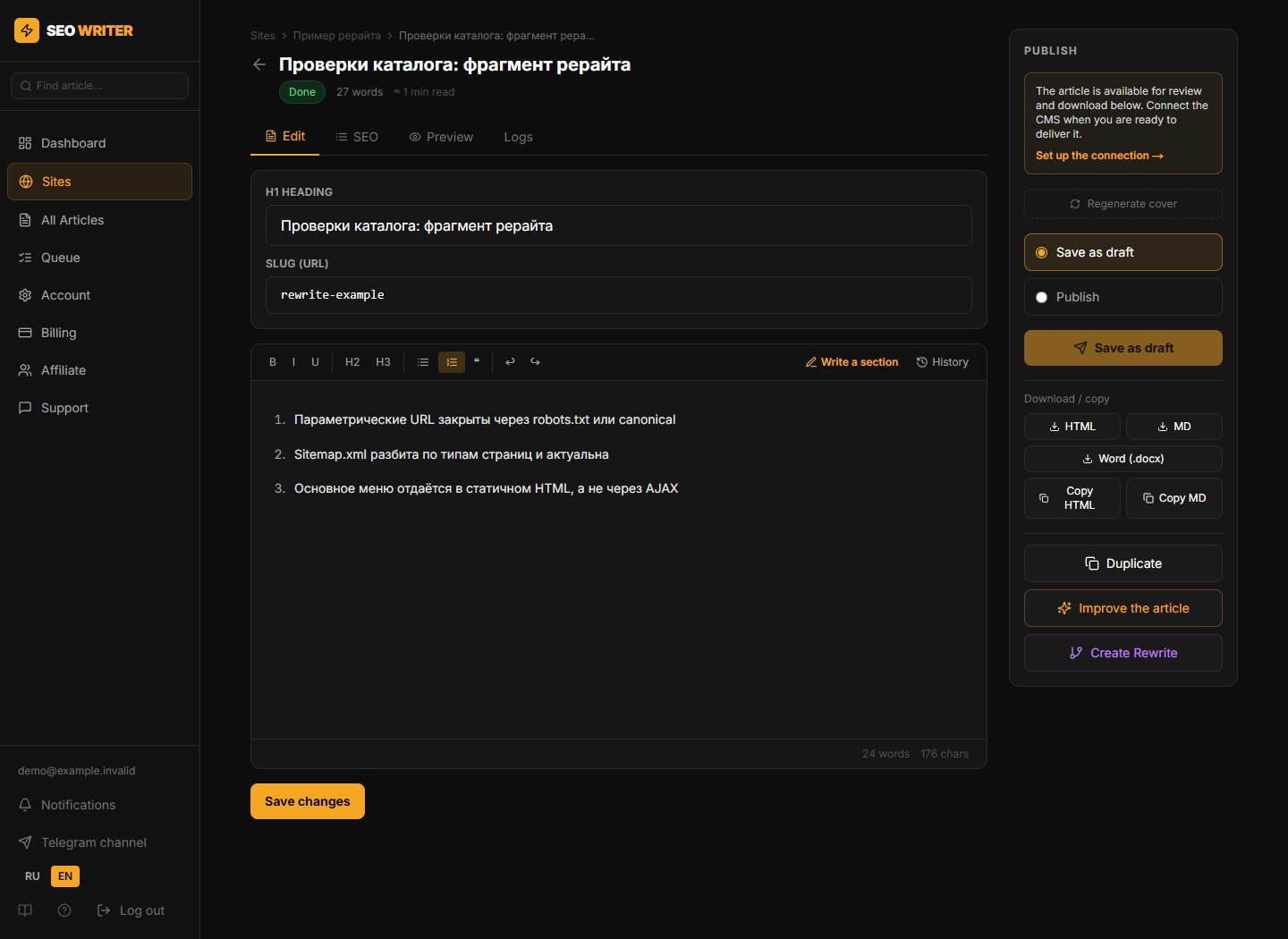
1. Параметрические URL закрыты через robots.txt или canonical
2. Sitemap.xml разбита по типам страниц и актуальна
3. Основное меню отдаётся в статичном HTML, а не через AJAX
The catalog topic is retained while the presentation becomes shorter. Compare the wording and order of explanation, then open your own content for adaptation.
Source: a completed longread in the project·
Where to start a rewrite and review the result
Screenshots of the working interface with the Russian-language example excerpt. The settings show where to choose a platform, tone and editorial instructions.
1. Open ready content
The editor actions include Create rewrite. The original content stays in the project.
Each platform has a base style in the service. Editorial instructions refine the task; check numbers, examples and conclusions before publishing.
How instructions differ for Dzen, VC.ru and Habr
Platform
Presentation
Example instruction
Dzen
PresentationA familiar opening situation, personal narration and short paragraphs.
Example instructionStart with a reader question. Explain the conclusions in plain language and preserve the facts.
VC.ru
PresentationPractical experience: the task, actions and results supported by source data.
Example instructionShow the workflow and business takeaways. Do not invent performance figures.
Habr
PresentationA precise title, mechanisms, terminology and technical details.
Example instructionExplain the mechanism. Preserve versions and commands; add code only when supported.
How many units you need
2 units
The source is ready in your project
One rewrite creates a separate draft for the selected platform.
3 units
A standard source must be created first
1 unit for a standard source + 2 for its rewrite. Longreads have a different total.
Rewriting requires an active trial or a paid plan and sufficient units. A trial without a promo code includes 2 units for 7 days, which does not cover both a new standard source and a rewrite. Ongoing Free does not include rewriting. Top-up packs require a paid plan.
Questions about rewriting
What changes during adaptation?
Rewriting adapts completed text to another context by changing the opening, tone and order of topics. AI uses the platform choice and editorial instructions. Check key facts against the source. Use your own content or material you have the right to reuse.
Can I paste a URL or external text?
This workflow uses completed content in your SEO Writer project. The rewrite action does not fetch an external URL or accept arbitrary pasted text. To create a source in the service, open the generator, then return to its editor and start a rewrite.
What should editorial instructions include?
Specify the audience, purpose and facts to preserve. Add specific changes: shorten the opening, explain a term in your own words, collect conclusions or add a block. This helps AI keep the main point while preparing a suitable version. To request a new section, add it as a separate block.
Can I try it without paying?
Rewriting is available during an active trial with sufficient units and on paid plans. A rewrite uses 2 units; creating a standard source first brings the total to 3. A trial without a promo code includes 2 units for 7 days. Ongoing Free does not include rewriting. See plans and units for details.
Will the result be published automatically?
Choosing Dzen, VC.ru or Habr sets the writing format. Review the result and transfer it to the platform yourself. AI does not submit it to that platform’s moderation. Publishing to your own website uses a separate CMS connection workflow.
Is the source preserved?
Yes. Each rewrite is a new draft linked to its source. The author can open both texts, compare their content and make edits. The source remains in the project, and the new version can be reviewed separately before publication.
Standard articles over one month. This shows the full price of an eligible monthly subscription and its entire allowance. Annual discounts and top-up packs are outside this calculation.
Starter: 1 290 RUB per month
15 standard articles need 15 units. The plan includes 15 monthly units and 2 sites; 0 units remain after this task.
86 RUB per article if you use the subscription only for these 15 articles.
Trial Without a promo code: 7 days and 2 units in total. This is a separate trial allowance; service feature terms apply.
Free The ongoing free plan: 3 units per month and 1 site. Paid features retain their plan requirements.
Format weights: standard 1, longread 6, rewrite 2, improvement 1 units. Top-up packs require a paid plan. Provider charges for your own API keys are paid separately.
Secure payment via YooKassa · No auto-renewal · 30 days access
Choose content for its next version
Open your own source, select a platform and describe the editorial task. AI prepares a draft; you review it and decide where to publish. Browse completed article examples to explore other SEO Writer formats.