OpenAI API — Setup Guide
Table of Contents
What OpenAI Is Used For
The OpenAI API is used in the web research step. AI with live web access gathers current facts, statistics, and context before the article is written.
Getting an OpenAI API Key
Go to platform.openai.com
Sign up or log in
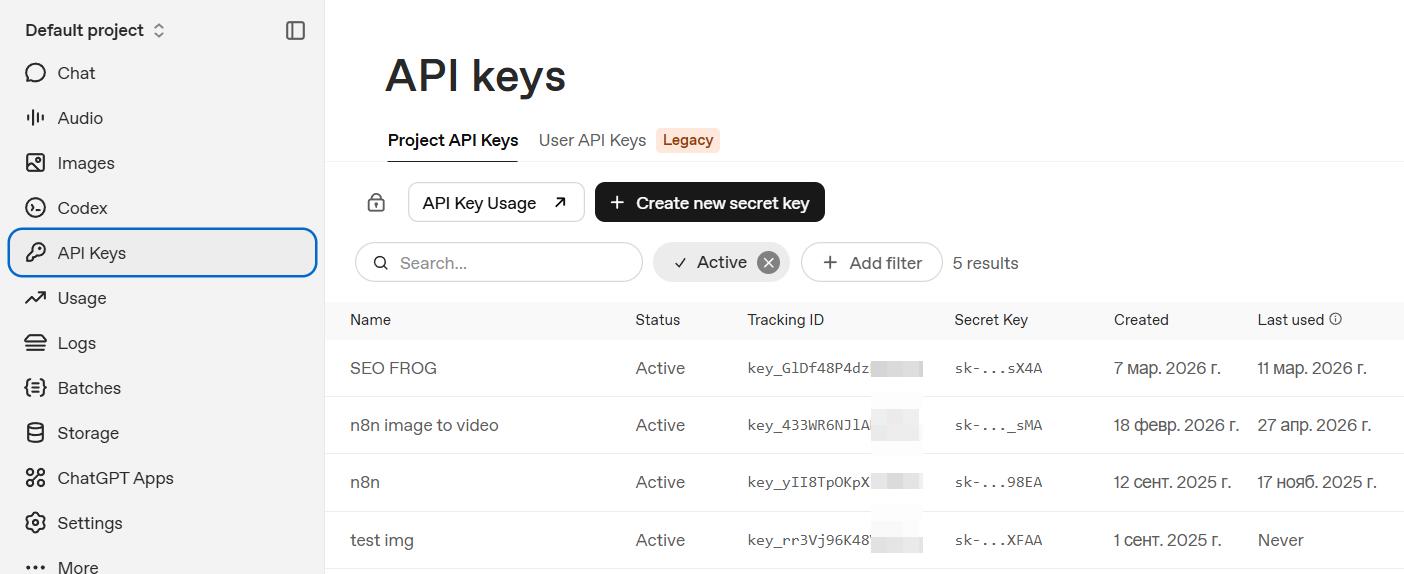
Go to API Keys in the left sidebar
Click Create new secret key
Copy the key — it starts with
sk-
Important: Add Billing Before Using
OpenAI requires a valid payment method before API keys work. Without billing, requests return a 401 error. Add your card at platform.openai.com/billing and set a usage limit to avoid unexpected charges.
Adding the Key to AI SEO Writer
Go to Account → My API Keys
Find the OpenAI API section
Click Add, paste your key, and click Save

Cost Estimate
The web research step uses a cost-effective model with web search. A typical article uses approximately 3,000–8,000 tokens in this step, costing less than $0.01 per article at current pricing.
Without an OpenAI Key
If no key is set, the system OpenAI key is used as a fallback. Generation continues uninterrupted.
In this section
Was this article helpful?