Why API Keys Are Needed
Table of Contents
The Short Answer
AI SEO Writer uses several AI services to produce high-quality articles. Each service requires an API key. You can use system keys (included with every plan) or add your own for independent rate limits.
Gemini API — Account level
Used for: High-level planning, H2/H3 structure, article writing, meta generation, SEO title variants.
Where to add: Account → My API Keys → Gemini API
OpenAI API — Account level
Used for: Web research — AI with live web access gathers current facts and context before writing.
Where to add: Account → My API Keys → OpenAI API
OpenRouter API — Account level
Used for: Longread pipeline only — provides access to an extended set of AI models for deep research and in-depth writing.
Where to add: Account → My API Keys → OpenRouter API
Note: OpenRouter is required for longread generation. Without a personal key, the system OpenRouter key is used as fallback.
SerpAPI — Site level
Used for: Image search — finding relevant photos from Google Images for each article section.
Where to add: Sites → [Your site] → Settings → Additional APIs → SerpAPI
This is a per-site setting, not account-wide. Without SerpAPI, articles publish without inline images.
YouTube Data API — Site level
Used for: Finding and embedding YouTube clips — for articles not in Russian or when the site's video source is set to YouTube. RuTube and VK Video clips need no keys.
Where to add: Sites → [Your site] → Settings → Additional APIs → YouTube Data API v3
Also per-site. Without your own key, the system key is used.
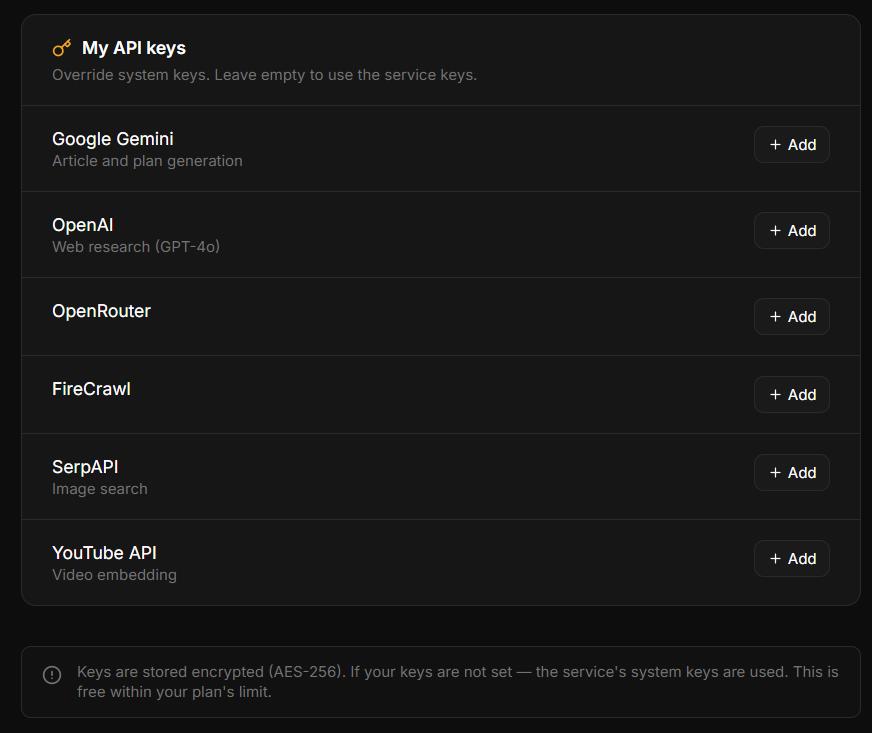
System Keys vs Your Own Keys
Every plan includes system API keys as a fallback. Your own keys always take priority and give independent rate limits. On the Free plan, only system keys are available for account-level providers.
Key Fallback Chain
Your personal key (if set)
Your agency's key (if you are an agency client)
System key set via Admin panel
Environment variable fallback on the server
In this section
Was this article helpful?