OpenRouter API — Setup Guide
Table of Contents
What OpenRouter Is Used For
The OpenRouter API is used exclusively in Longread mode. It provides access to an extended set of AI models for deep research, competitor analysis, and writing long-form articles. Without OpenRouter, longread generation is not possible.
OpenRouter is not needed for standard articles.
Step 1: Sign Up at OpenRouter
Go to openrouter.ai
Click Sign in and log in with Google or GitHub
Step 2: Add Credits
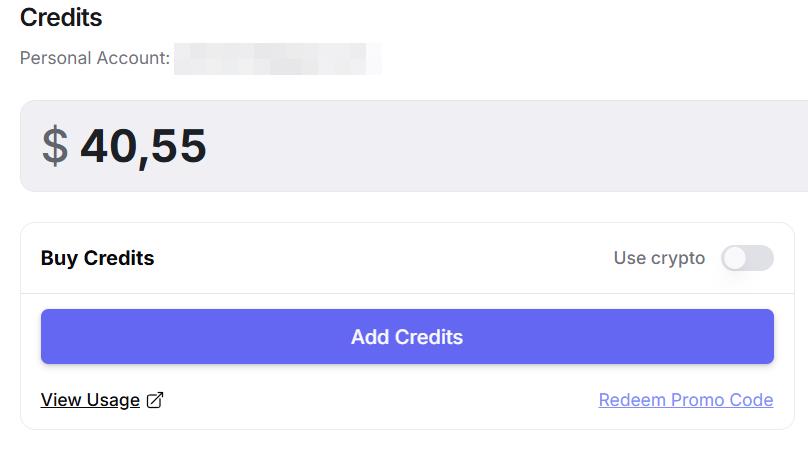
Go to the Credits section in the top menu
Click Buy Credits
Minimum top-up: $5
OpenRouter uses a pay-as-you-go model — you only pay for tokens used. One longread costs approximately $0.10–0.30 depending on length.
Step 3: Create an API Key
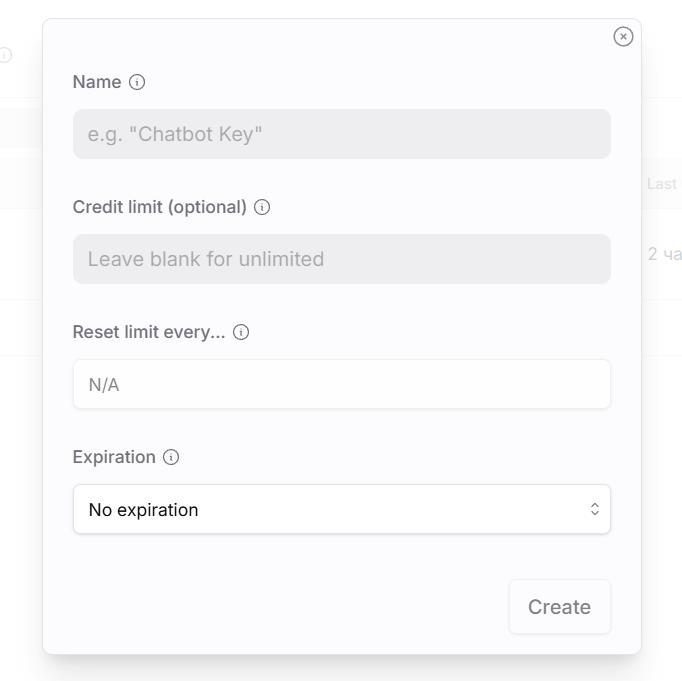
Go to the Keys section in the top menu
Click Create Key
Give it a name, e.g. "AI SEO Writer"
Copy the key — it starts with
sk-or-
Step 4: Add to AI SEO Writer
Go to Account → My API Keys
Find the OpenRouter API row
Click Add, paste the key, and click Save

System Key as Fallback
If you don't add a personal key, longread generation still works via the system OpenRouter key. However, the system key shares a request pool with all users — during high load you may experience delays. We recommend using your own key for consistent performance.
Plan Availability
Longreads are available on Starter, Pro, and Agency plans. Longreads are not available on the Free plan.
In this section
Was this article helpful?