Site Settings: Style and Voice
Table of Contents
Why Author Voice Matters
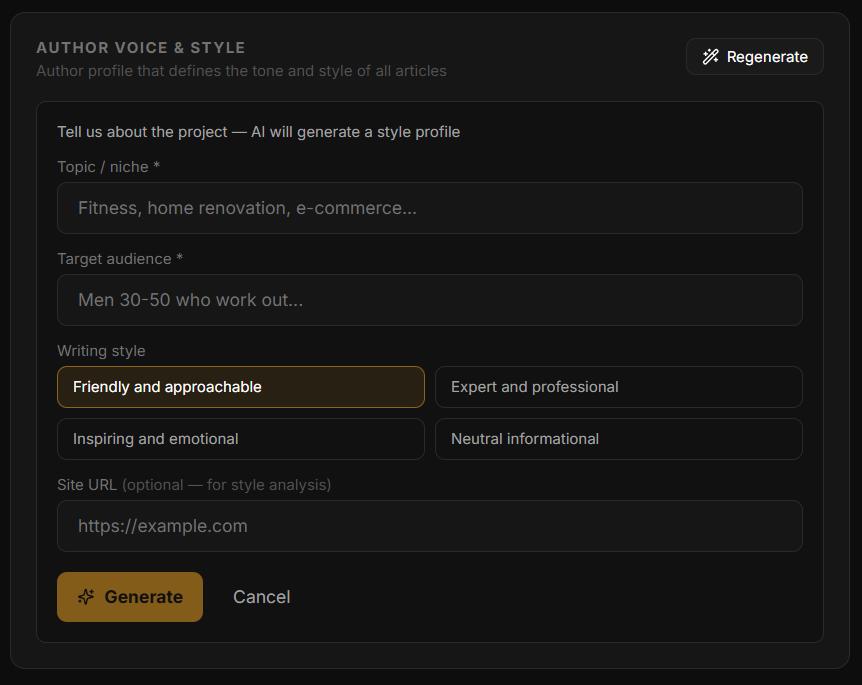
Author Voice is the most important setting for article quality. It tells the AI how to write — the tone, audience, and style. Without a Voice Profile, articles use a neutral default style.
Generating a Voice Profile
Go to Sites → [Your site] → Settings → Author Voice
Fill in niche, target audience, tone, and optionally your site URL for style analysis
Click Generate — AI creates a detailed Voice Profile
Review, edit if needed, and save
Generation Settings
In Settings → Generation:
Article Language — Russian, English, or Ukrainian
Default Publish Status — Draft (review before publishing) or Publish immediately
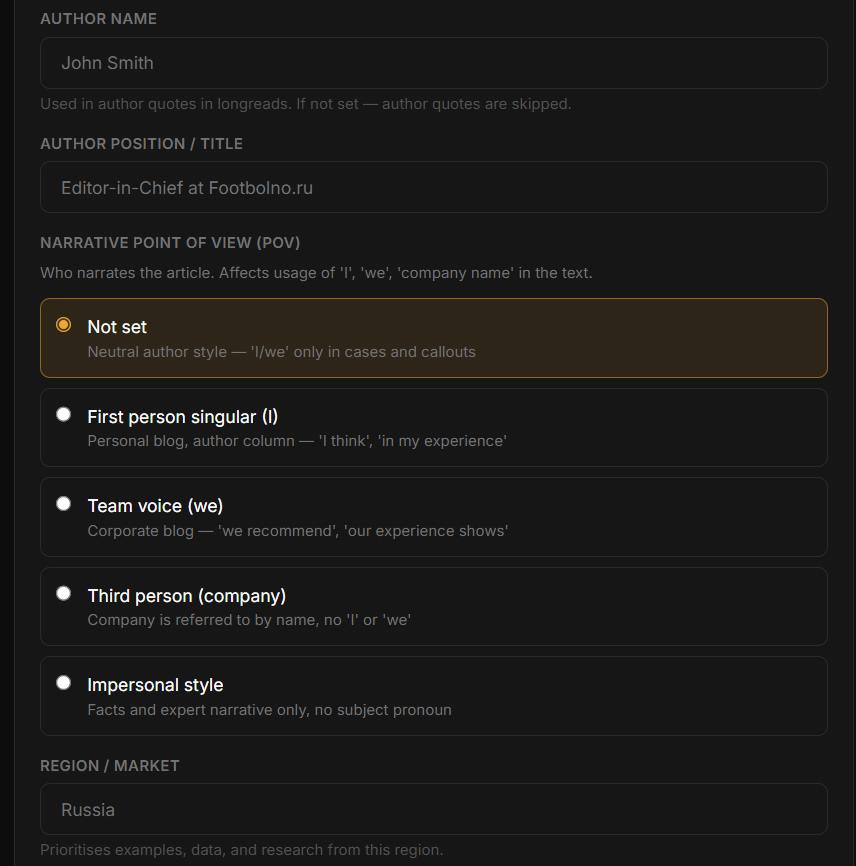
Narrative POV — who narrates the article:
First person (I) — personal blog: "in my experience…"
Team voice (we) — corporate blog: "we recommend…"
Company (third person) — company referred to by name, no "I" or "we"
Impersonal — facts only, no subject pronoun
Region / Market — AI prioritizes examples, data, and research from this region (e.g. "Russia", "Kazakhstan", "USA")
Style Imitation (optional) — model writes in a specified style (e.g. "editorial style of Forbes", "conversational blog like Wait But Why")
Longread Settings
Additional settings for the Longread pipeline (Starter plan and above):
Author Name and Author Position — used in expert quotes inside longreads (e.g. "John Smith, Editor-in-Chief at TechBlog.com")
Writing Rhythm — controls sentence rhythm and paragraph structure:
Flowing stream — conversational, blog-style
Clear and simple — structured business style
Company Cases (SAR format) — real Situation-Action-Result examples from your business, woven into longreads to boost E-E-A-T signals
Web Research — enables deep source search before writing (recommended for longreads)
Syncing WordPress Categories
When publishing to WordPress, the AI assigns articles to categories. The available category list is synced from your WordPress site.
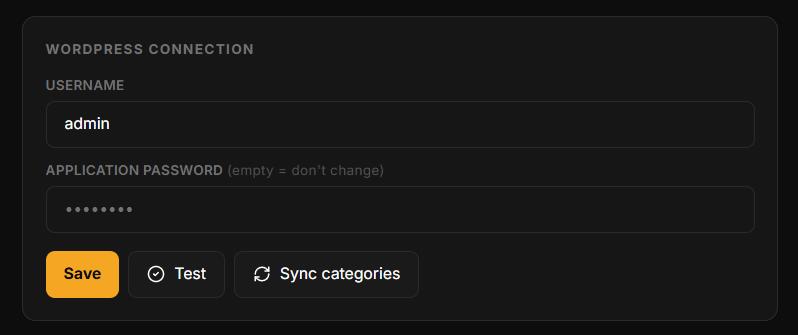
If you created new categories in WordPress after the initial connection, they won't appear automatically. Click Sync categories in Sites → [Your site] → Settings to refresh the list.
When to sync:
After adding new categories in WordPress
After renaming existing categories
If logs show a "category not found" error
This feature is WordPress-only. For Bitrix, InSales, and Joomla, categories are configured during site setup.
In this section
Was this article helpful?