Setting Up API Keys
Table of Contents
Two Types of API Keys
AI SEO Writer has two places for API keys:
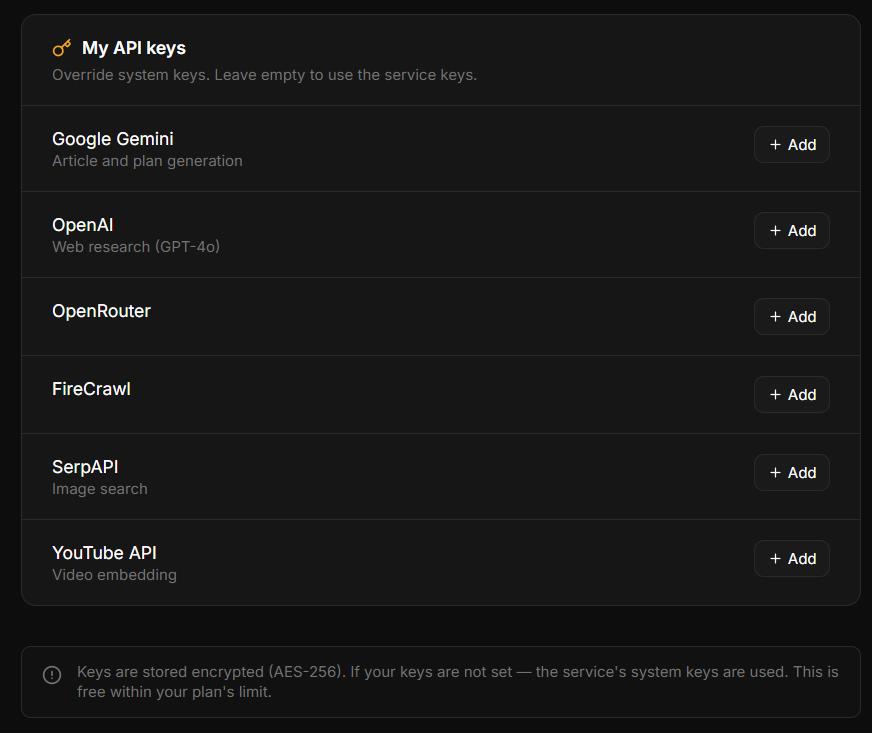
Account-level keys — apply to all your sites. Set in Account → My API Keys.
Site-level keys — apply to one specific site. Set in Sites → [Your site] → Settings → Additional APIs.
Account-Level Keys (Account → My API Keys)
Gemini API — main content generation (planning, writing, meta, SEO variants)
OpenAI API — web research: AI with live web access gathers current facts before writing
OpenRouter API — required for Longread mode (extended set of AI models)
Site-Level Keys (Site Settings → Additional APIs)
SerpAPI — image search (Google Images). Without it, articles publish without inline images.
YouTube Data API v3 — YouTube clips. Needed only when clips come from YouTube; without your own key the system key is used. RuTube and VK Video need no key.
Key Priority
Your own key is always used first. If not set, the system key is the fallback — articles always generate even without personal keys.
Free Plan Note
On the Free plan, account-level keys (Gemini, OpenAI, OpenRouter) cannot be added — only system keys are used. Upgrade to Starter or higher to add your own keys. Site-level keys (SerpAPI, YouTube) can be added on any plan.
How Keys Are Stored
All API keys are encrypted with Fernet (AES-128 CBC + HMAC-SHA256) before saving. Never stored in plain text. See How keys are stored securely.
In this section
Was this article helpful?