Registration and first login
Table of Contents
Registration
Go to ai-seowriter.ru and click Get started free.
Step 1: Fill in the form
Enter your email and create a password (minimum 8 characters). Click Register.
Step 2: Confirm your email
A confirmation link will be sent to your email. Click it within 24 hours.

Step 3: Log in
After confirming your email, you'll be redirected to the onboarding wizard automatically.
Passwordless sign-in: Yandex ID and Telegram
You do not have to invent a password. The sign-up and sign-in pages have Sign in with Yandex and Sign in with Telegram buttons — one click and you are in.
With Yandex the email arrives already confirmed, so the confirmation letter is not needed.
If you already have an account, you can link Yandex to it: Account → Yandex ID sign-in → Link Yandex. After that either way works — a password or one click.
Your Yandex password is never sent to the service and it does not know it: you grant access on the Yandex page and can revoke it there. We receive only the account id, the email address and the name.
Logging into an Existing Account
Go to ai-seowriter.ru/login, enter your email and password, and click Log in.
Trial Period
New accounts automatically receive a 7-day Pro trial with 2 article credits. No credit card required. With a referral promo code, you get 10 credits.
Free Plan
After the trial ends, your account switches to the Free plan with a limit of 3 articles per month. To remove restrictions, go to Billing and choose a paid plan.
Forgot Your Password?
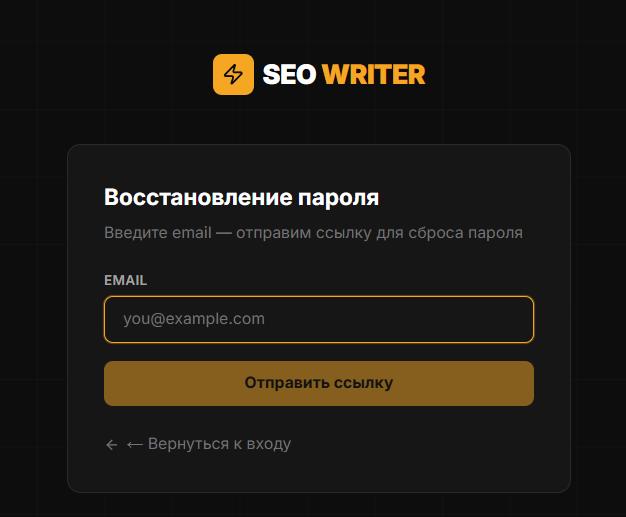
On the login page, click Forgot password?
Enter your account email and click Send instructions
A password reset email arrives within a few minutes (check your Spam folder)
Click the link in the email — it is valid for 1 hour
Enter a new password (minimum 8 characters) and click Save
In this section
Was this article helpful?