Notifications (Email & Telegram)
Table of Contents
Available Notifications
AI SEO Writer sends two types of notifications:
Email — to your account's email address
Telegram — directly to you in Telegram
Email Notifications
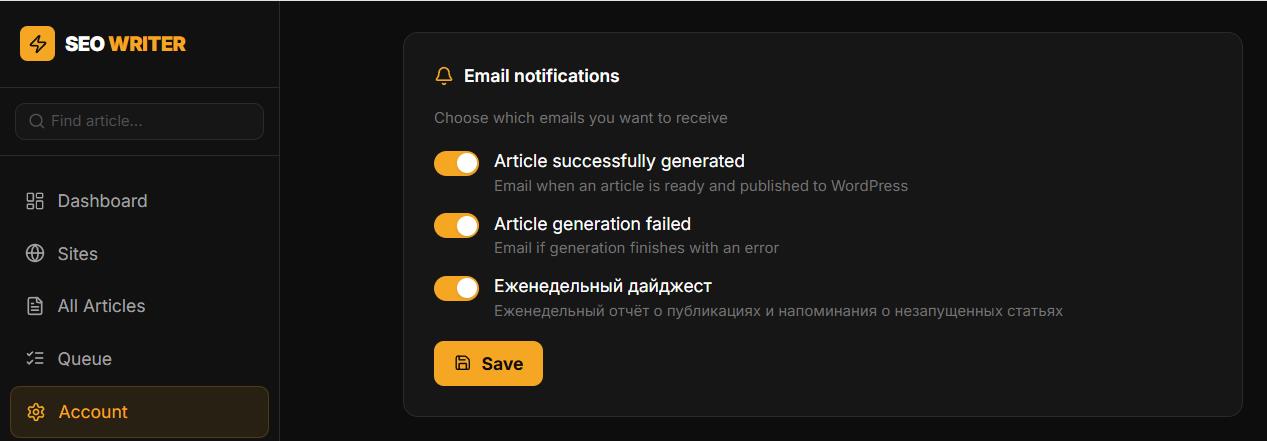
Go to Account → Email Notifications. You can enable or disable:
Notification when an article is successfully generated
Notification when article generation fails
Telegram Notifications
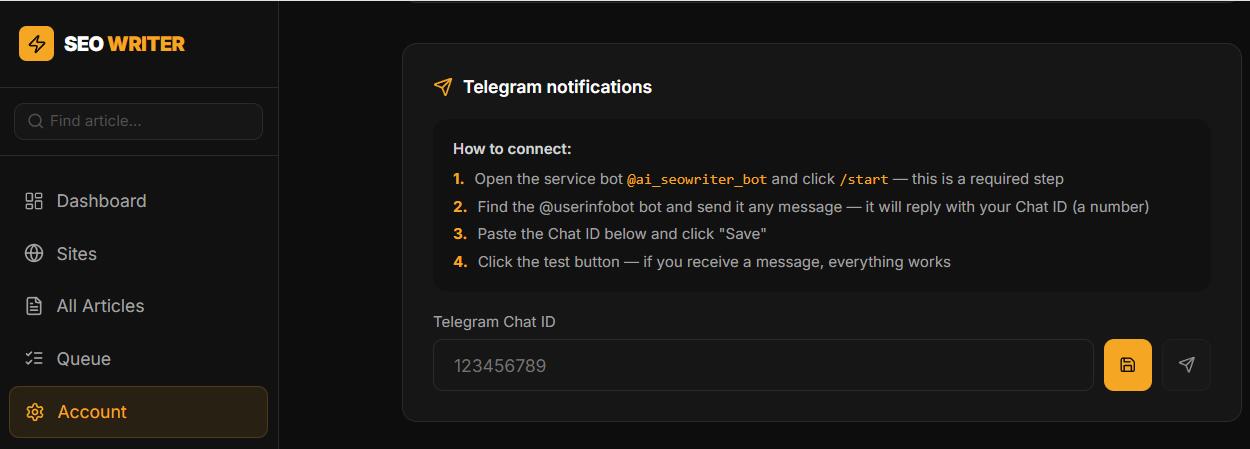
Personal Telegram notifications are sent to you (not a channel) via the service bot. To set up:
Go to Account → Telegram Notifications
Open the service bot via the link on the page and click /start
Get your Chat ID: send any message to
@userinfobot— it replies with your numeric Chat IDEnter the Chat ID in the field and click Save
Click Send test message — if you receive a message, everything works
Agency Notifications
In the agency cabinet (Agency → Settings), there's a separate setting for receiving notifications about client articles — via email or Telegram.
In this section
Was this article helpful?