SEO Title and Meta Description Variants
Table of Contents
What Is Generated
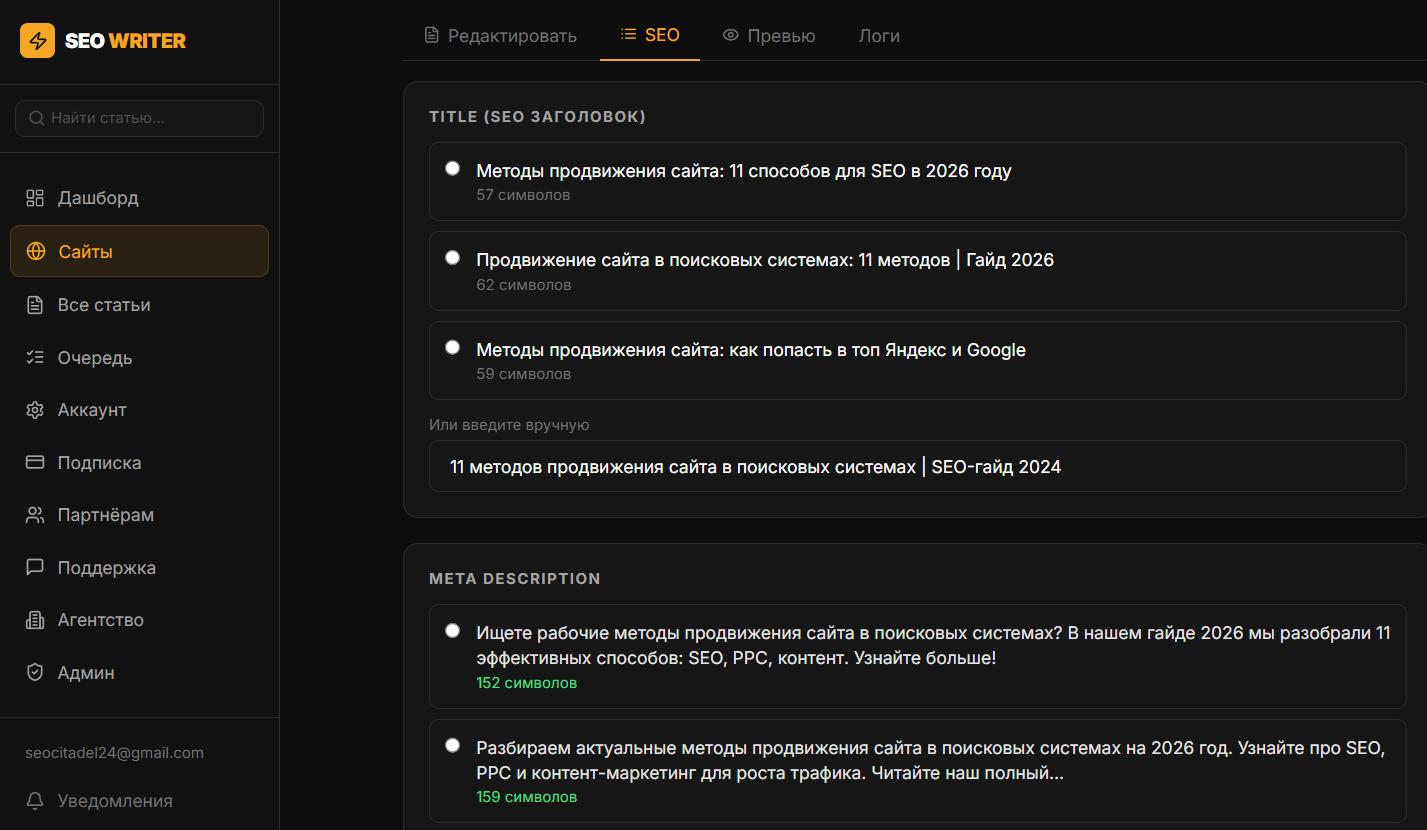
At step 13 of the pipeline, the AI generates three sets of SEO elements:
3 title tag variants — the page title shown in search results
3 meta description variants — the description snippet shown under the title in SERP
H1 — the main on-page heading visible to readers (one, not a variant)
Title and description variants differ in length, keyword placement, and call-to-action wording.
How to Choose a Variant
Open the article from the Articles section
Go to the SEO tab
Select the best title and description from the three options
Edit manually in the field if needed
A character counter helps you stay within recommended lengths
Recommended Lengths
Title: 55–65 characters, keyword near the beginning
Meta description: 120–155 characters, call to action at the end
H1: can differ from title — more conversational or descriptive
How the Selection Is Applied on Publish
The selected title and description are passed to the CMS when publishing:
WordPress: written to Yoast SEO or RankMath as SEO title and SEO description
Bitrix, InSales, Joomla: passed to the platform's meta fields
The H1 is inserted at the start of the article body separately from the post title — so the SEO plugin's title tag can differ from the H1 visible on the page.
Changing After Publish
If the article is already published, edit the title/description on the SEO tab, then click Republish — the updated metadata will be written to the CMS without regenerating the content.
To see which title and description the page finally serves to search engines, use the on-page SEO checker — it also shows their lengths.
In this section
Was this article helpful?