Standard Article vs Longread
Table of Contents
Standard Article (19 steps)
The standard pipeline produces articles of 2,000–5,000 words, typically in 3–5 minutes. Best for regular blog posts, product descriptions, FAQ and how-to articles, and high-volume content plans.
Longread (~31 steps)
The longread pipeline produces 5,000–15,000 word articles with deep competitor research, checkpoint recovery, and interactive content blocks. Takes 10–20 minutes. Best for pillar pages, high-competition keywords, and E-E-A-T optimization.
Key Differences
Feature | Standard | Longread |
|---|---|---|
Word count | 2,000–5,000 | 5,000–15,000 |
Generation time | 3–5 min | 10–20 min |
Monthly credit cost | 1 article | 6 articles |
Competitor scraping & analysis | No | Yes (top search results) |
Interactive blocks | No | Quizzes, checklists, polls |
Checkpoint recovery | No | Yes (resumes from last step on failure) |
Requires OpenRouter key | No | Yes (system key used as fallback) |
Plan required | All plans | Starter and above |
Important: Longread Credit Cost
One longread generation costs 6 article credits from your monthly limit.
Starter (15/month): up to 2 longreads, or 15 standard articles, or a mix
Pro (50/month): up to 8 longreads, or 50 standard articles, or a mix
Agency (150/month): up to 25 longreads, or 150 standard articles, or a mix
How to Select Longread Mode
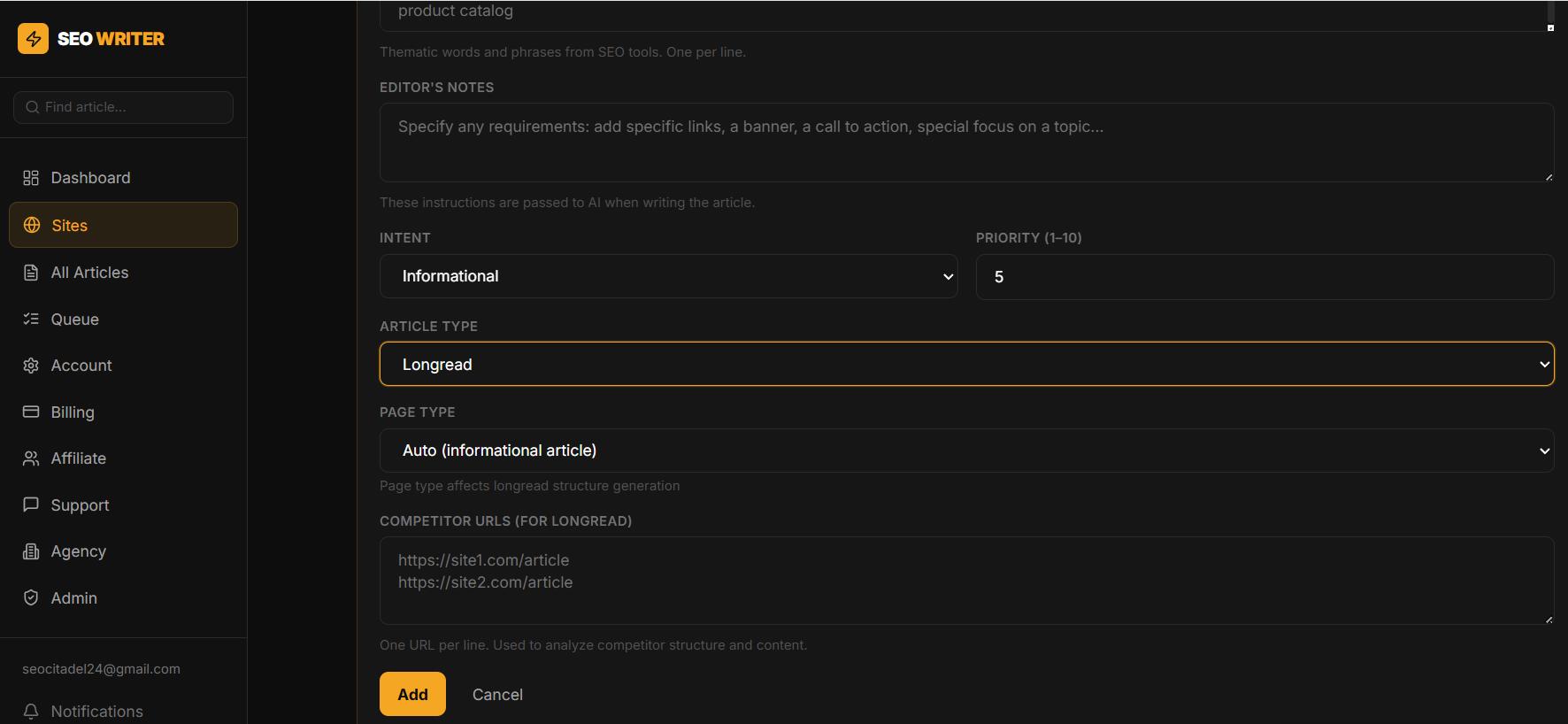
When adding or editing a keyword, set Article Type to Longread. You can also paste competitor URLs for the AI to scrape and analyze before writing.
OpenRouter API Key for Longreads
Longreads use the OpenRouter API. Add your key in Account → My API Keys → OpenRouter API to use your own quota. Without a personal key, the system OpenRouter key is used as fallback.
In this section
Was this article helpful?