Article Queue Management
Table of Contents
The Queue Page
Click Queue in the sidebar. All generation tasks across all your sites are shown here in real time.
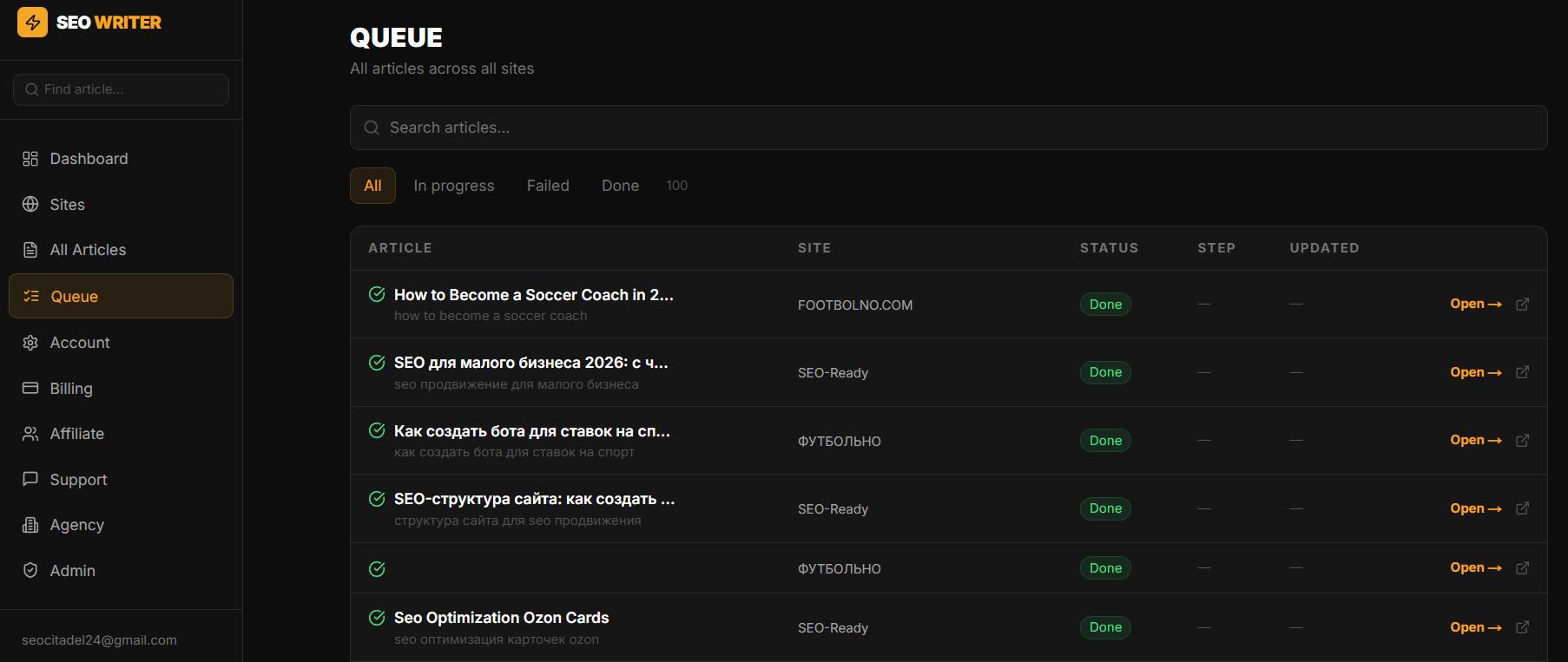
Queue Filters
All — every task regardless of status
In progress — articles currently being generated (with progress bar)
Done — successfully completed articles
Failed — articles with errors (red badge in the sidebar)
In agency mode, articles waiting for manager approval appear in Agency → Approvals, not in the main Queue.
Actions on Failed Articles
Retry — restart generation. For standard articles — restarts from the beginning. For longreads — the pipeline resumes from the last successful step (checkpoint recovery), not from scratch. No progress is lost.
Delete all failed — quickly clear all failed articles from the queue
Close the Tab — Generation Continues
Generation runs on the server. You can close the browser after clicking Generate — you'll receive an email notification when the article is ready (if enabled in account settings).
Was this article helpful?