Social Media Announcements
Table of Contents
Supported Platforms
Telegram channel
VKontakte community
Odnoklassniki (OK) group
Pinterest board
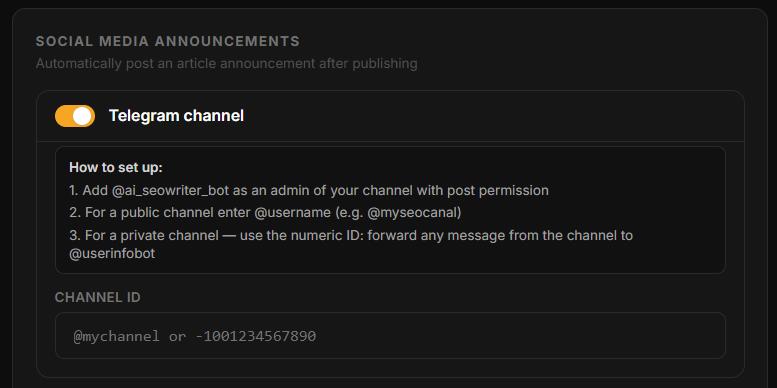
Setting Up Telegram
Add @ai_seowriter_bot as an admin to your Telegram channel with the "Post messages" permission
Go to Sites → [Your site] → Settings → Social Media → Telegram channel
Enter your channel ID:
Public channel:
@mychannelPrivate channel: numeric ID (forward any message from the channel to @userinfobot — it will reply with the ID)
Save settings
Setting Up VKontakte
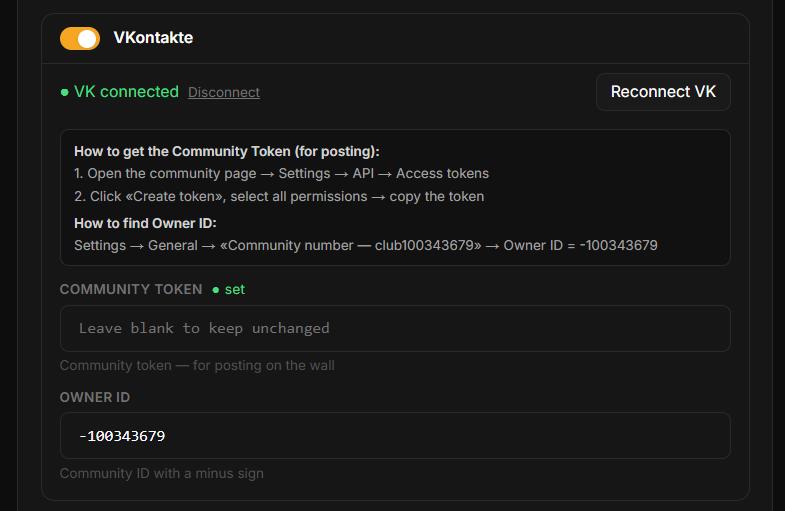
Click Connect VK — VKontakte authorization opens
Log in and grant access
After redirect, enter your community's Owner ID (numeric ID with a minus sign, e.g.
-123456789). Find it in Community → Manage.Save settings
Setting Up Odnoklassniki (OK)
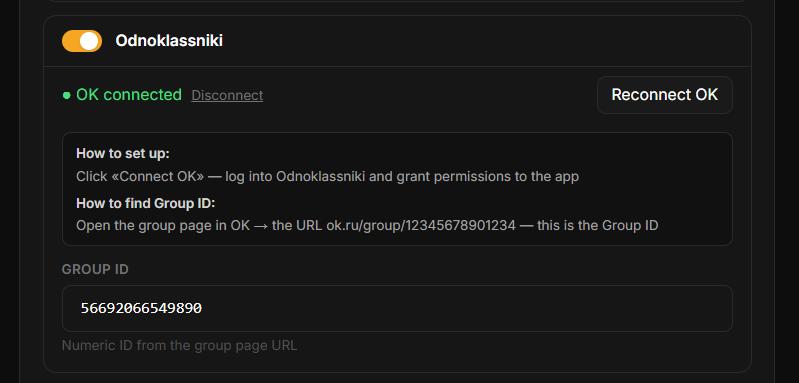
Click Connect Odnoklassniki — the OK authorization page opens
Log in and grant access to the application
After the redirect back, enter your Group ID (the numeric ID of your OK group — found in the group's URL)
Save settings
Setting Up Pinterest
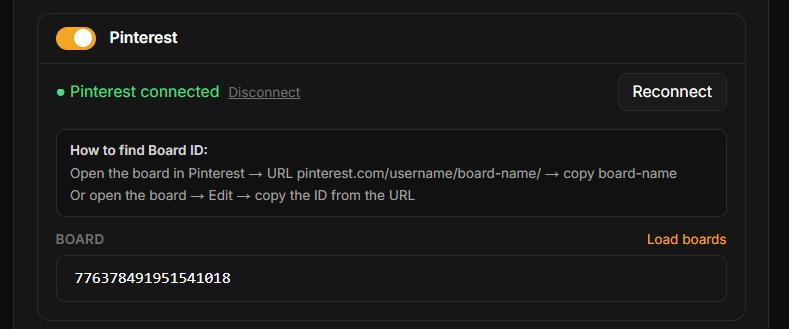
Click Connect Pinterest — the Pinterest authorization page opens
Log in and grant access
After the redirect back, select the board from a dropdown of your boards where pins will be posted
Save settings
Announcement Text
After publishing, AI automatically generates announcement text from the article title and description. Hashtags (shared across all networks) are set in the Hashtags field in social settings.
When the Announcement Is Sent
The announcement posts at step 19 of the pipeline — immediately after successful CMS publication. If CMS publication fails, the announcement is not sent.
Was this article helpful?